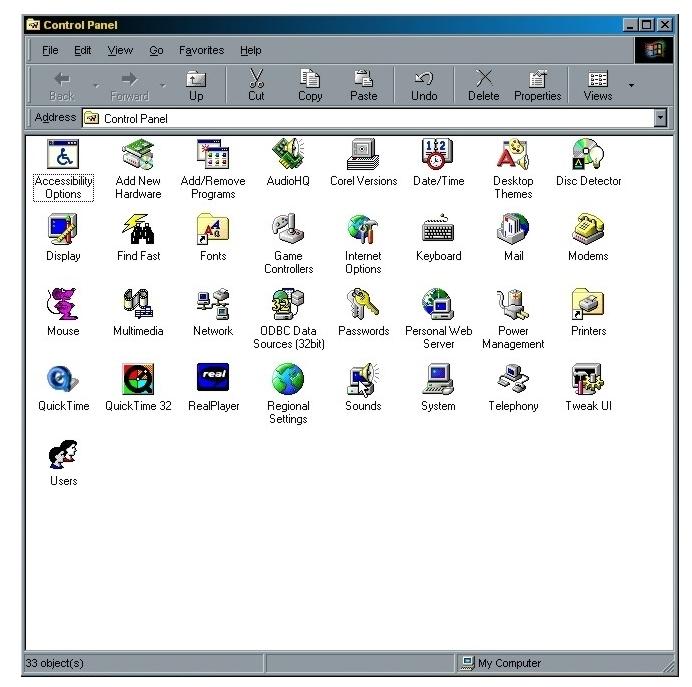
Ok, here's how to make Windows use your sounds. First of all, save the sound file to a folder. You just have to remember where the heck you saved it too!
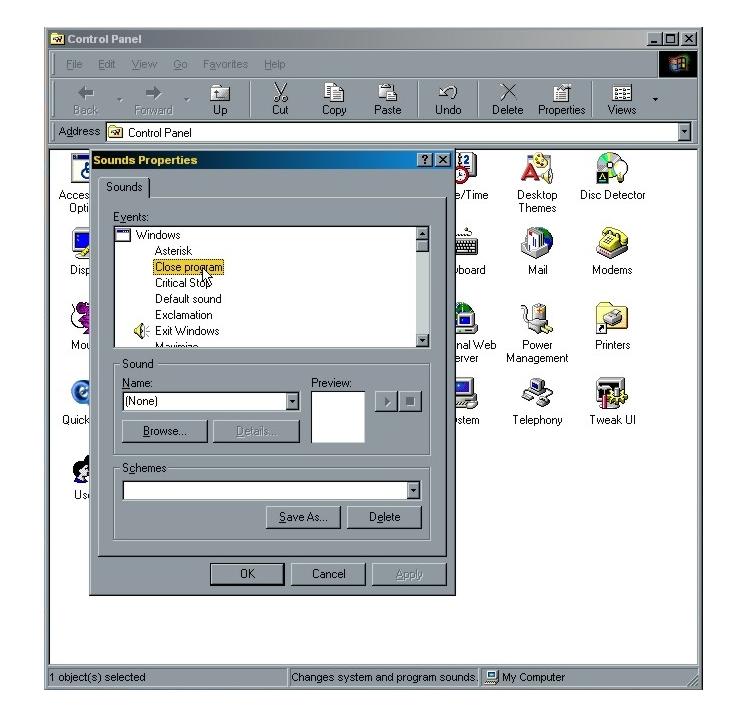
Then, choose when you want to hear the sound. For example, in this photo, I'm choosing to hear the sound whenever a program closes.
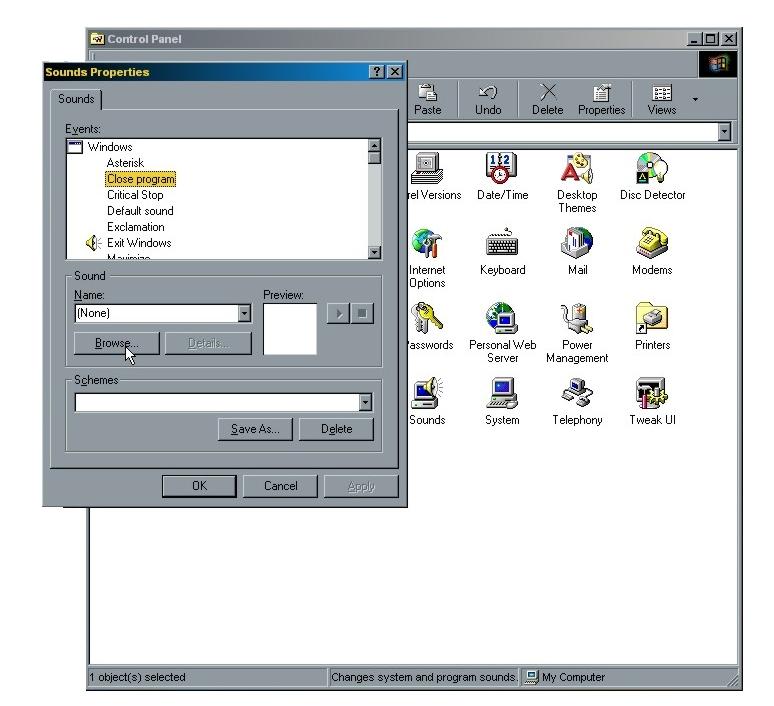
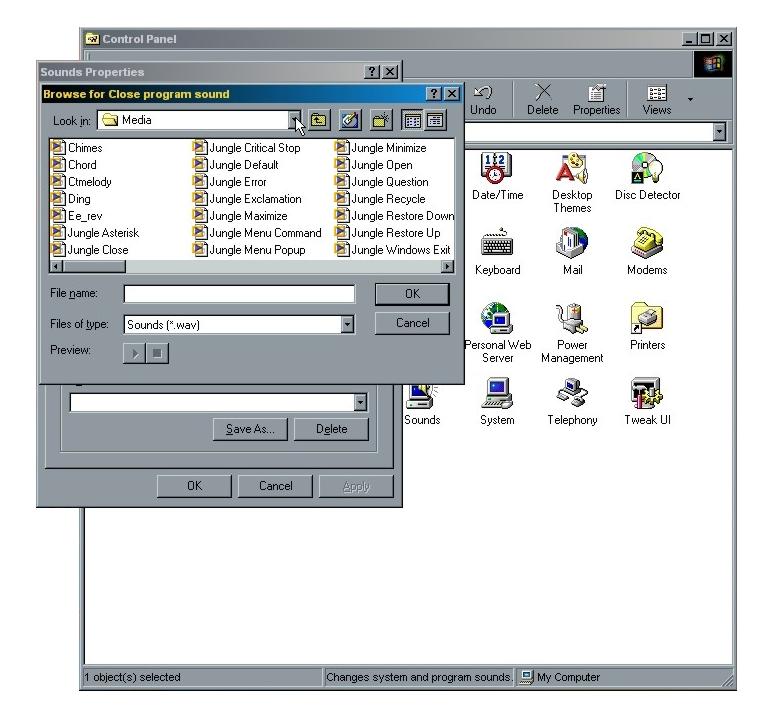
When you hit "Browse", the program will take you to the "Media" folder. Click on the arrow (Like the photo shows.) and find the file you saved the sounds in. Select the sound and then press "OK". (You can hear the sound by selecting it and pressing "Preview".)
That's it, man. If you're really confused, send me an email or just give up and start crying. Good luck!!!